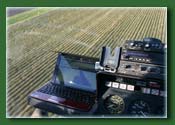
HeliGPS may be downloaded and tested
for free.
The trial is limited to 10 min intervals of GPS positioning information.
A simple restart will provide recording of another 10 min interval.
There are no other limitations. HeliGPS also contains a simulation
mode. This allows you to get an idea without a GPS receiver!
Any standard GPS receiver which provides NMEA 2.0 protocol output
to your laptops serial or USB port may be used.
HeliGPS.EXE requires Microsoft .Net Framework 2.0 to
run on your computer. This framework is already part of any Microsoft
Vista or Windows 7 installation, but must be downloaded
and installed separately for Windows XP, Windows 8, 10 or Windows 2000.
If you need to download and install Microsoft .Net Framework
2.0, please click
here to download the installation
file (dotnetfx.exe) directly from Microsoft.
For HeliGPS version, you must also install the Microsoft XNA Framework
3.1 and the Visual C++ 2010 runtime. The XNA framework must be
installed on all Windows OS versions and can be downloaded for
free here.
The Visual C++ 2010 redistributable is required for shapefile
support and can be downloaded here.
HeliGPS software :
HeliGPS does require a newer graphic card since it features a
3D perspective view.
Tested graphic cards common to many netbooks, but not limited
too:
Intel GMA 900
Intel GMA 950
Intel Graphics Media Accelerator 3150
Size: 6600 kb
Release Date: March 11, 2018 Version 4.4.0
OS:Win 10, Win 8, Win8.1, Win 7,Win Vista/XP 32 or 64 bit